Online Privacy and Security Guide 2026: Protect Yourself with VPNs and Privacy Tools
Let’s be honest, the internet can be a scary place. One minute you’re sharing cat memes, and the next you’re getting targeted ads for something you only thought about. It’s not just you; we’ve all been there. That creeping feeling that someone’s always watching? It’s not paranoia, it’s the reality of the digital world in 2026. That’s why I’ve put together this comprehensive online privacy guide. I’ve spent years testing, researching, and frankly, getting frustrated with the state of online privacy. This guide is the culmination of all that experience, designed to give you the real-world, practical steps you need to take back control of your digital life.
Table of Contents
- Understanding the Threats: What Are You Up Against?
- The Cornerstone of Your Defense: Why a VPN for Privacy is Non-Negotiable
- How to Choose the Right VPN: A No-BS Checklist
- Beyond VPNs: Essential Online Security Tools
- Privacy Tools Comparison: Which Ones Are Worth Your Money?
- Hardening Your Browser: Turning Your Digital Window into a Fortress
- Digital Hygiene: Simple Habits for a More Private Life
- Frequently Asked Questions (FAQ)
Understanding the Threats: What Are You Up Against?
Before we dive into the solutions, it’s crucial to understand what we’re up against. The threats to your online privacy are more varied and sophisticated than ever. It’s not just about hackers in dark rooms anymore. Here’s the thing: your data is a commodity, and everyone wants a piece of it.
Data Brokers and Advertisers
These are the silent observers of your online life. They build detailed profiles about you based on your browsing habits, purchases, and even your location data. Ever wondered why you see ads for something you just talked about? It’s not a coincidence. These profiles are bought and sold, creating a massive, unregulated market for your personal information. I once requested my data from a major broker and was shocked to see a file with over 2,000 data points about me, from my favorite brand of coffee to my political leanings. It was a serious wake-up call.
Government Surveillance
It’s not just corporations. Governments around the world have vast surveillance programs that collect and analyze internet traffic. While often framed as a necessary tool for national security, these programs can easily overstep their bounds, infringing on the privacy of innocent citizens. This isn’t some tinfoil hat conspiracy theory; it’s a documented fact. This is a key reason why this online privacy guide is so important.
Cybercriminals
And of course, there are the classic villains: cybercriminals. From phishing scams that trick you into revealing your passwords to malware that can steal your financial information, the threat from malicious actors is ever-present. They are constantly evolving their tactics, making it a continuous cat-and-mouse game to stay ahead of them.
The Cornerstone of Your Defense: Why a VPN for Privacy is Non-Negotiable
So, how do you start to fight back? The single most effective tool in your arsenal is a Virtual Private Network, or VPN. If you’re serious about your online privacy, using a VPN for privacy is not just a suggestion; it’s a necessity. I’ve tested dozens of VPNs over the years, and while they’re not all created equal, a good one is like a suit of armor for your digital self.
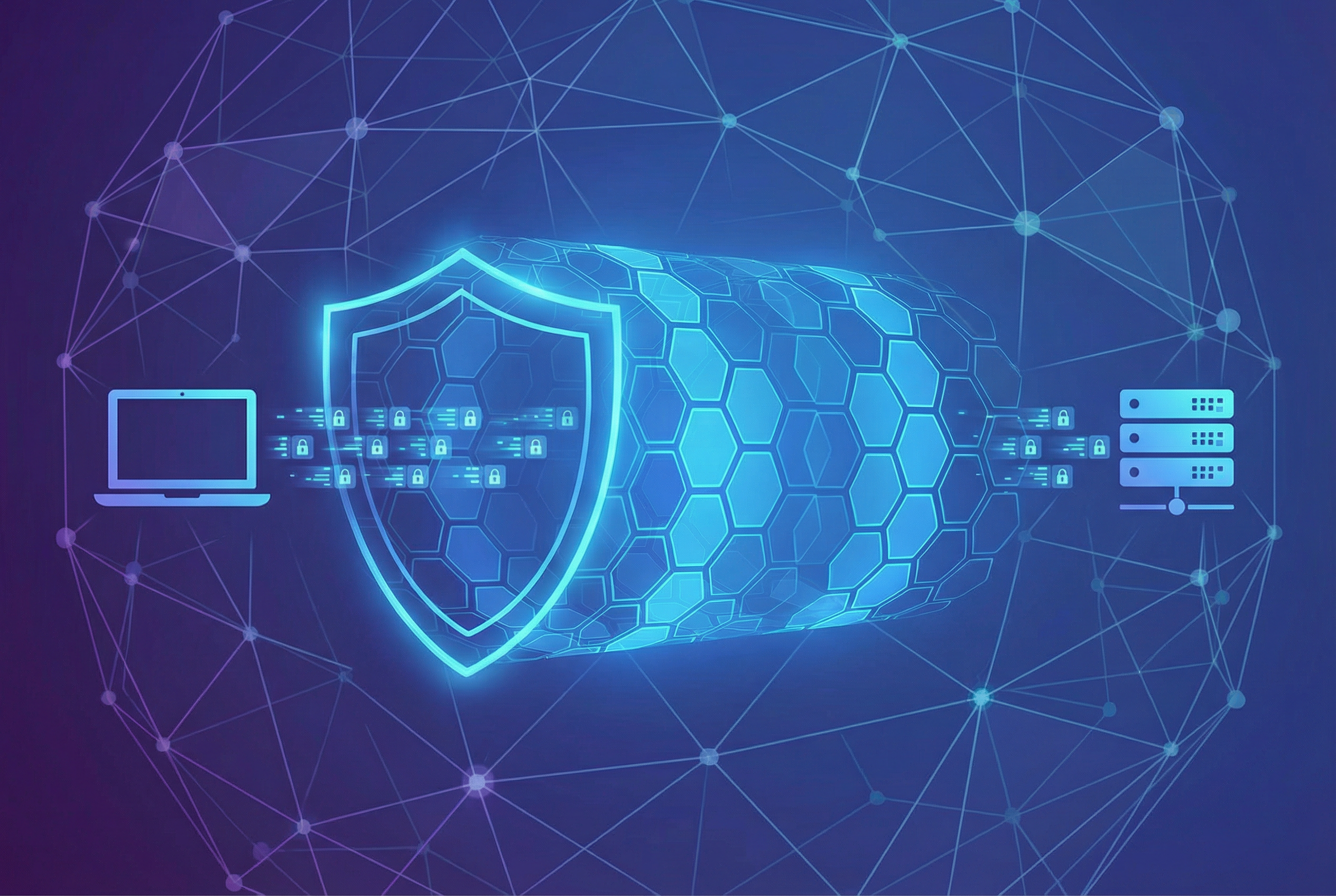
A VPN works by creating an encrypted tunnel between your device and the internet. All your traffic is routed through a secure server, masking your IP address and making it nearly impossible for anyone to see what you’re doing online. Think of it like sending a letter in a sealed, unmarked envelope instead of on a postcard. Your ISP, advertisers, and even the government can’t read the contents of your traffic.

How to Choose the Right VPN: A No-BS Checklist
With so many VPNs on the market, choosing the right one can feel overwhelming. I’ve seen people get paralyzed by choice and end up picking a free VPN that does more harm than good. To help you cut through the noise, here’s my personal checklist for what to look for in a quality VPN for privacy:
- No-Logs Policy: This is the most important factor. A VPN that keeps logs of your activity is like a security guard who writes down everything you do. Look for a VPN with a strict, independently audited no-logs policy.
- Strong Encryption: Not all encryption is created equal. Look for AES-256 encryption, the same standard used by banks and governments.
- Kill Switch: A kill switch is a fail-safe that automatically disconnects you from the internet if your VPN connection drops. This prevents your real IP address from being accidentally exposed.
- Jurisdiction: Where a VPN company is based matters. Ideally, you want a VPN located in a country with strong privacy laws and outside of the 14 Eyes surveillance alliance.
- Speed and Performance: A VPN will inevitably slow down your connection a bit, but a good one will have a minimal impact. Look for VPNs with a large server network and modern protocols like WireGuard.
Beyond VPNs: Essential Online Security Tools
A VPN is the foundation of your online security, but it’s not a silver bullet. To truly protect your data online, you need a multi-layered approach. Here are some other online security tools I use and recommend:
Password Managers
I can’t stress this enough: you need a password manager. Trying to remember unique, complex passwords for every site you use is a recipe for disaster. A password manager generates and stores strong passwords for you, so you only have to remember one master password. It’s one of the easiest and most effective security upgrades you can make.
Encrypted Messaging Apps
Your standard SMS messages are not secure. Neither are many popular messaging apps. For private conversations, you need an app that uses end-to-end encryption, like Signal or Telegram. This ensures that only you and the person you’re talking to can read your messages.
Private Email Services
Your Gmail or Outlook account is not as private as you think. Companies like Google and Microsoft scan your emails to show you targeted ads. For truly private email, consider a service like ProtonMail or Tutanota, which offer end-to-end encryption for your messages.
Privacy Tools Comparison: Which Ones Are Worth Your Money?
To give you a better idea of how these tools stack up, here’s a comparison of some of the most popular options on the market. This is based on my own testing and research, so your mileage may vary.
| Tool | Best For | Key Feature | Price |
|---|---|---|---|
| NordVPN | Overall Privacy | Threat Protection | Starts at $3.99/mo |
| ExpressVPN | Speed and Streaming | TrustedServer Technology | Starts at $8.32/mo |
| 1Password | Password Management | Travel Mode | $2.99/mo |
| Signal | Encrypted Messaging | Open-Source and Free | Free |
| ProtonMail | Private Email | End-to-End Encryption | Free and Paid Plans |
Hardening Your Browser: Turning Your Digital Window into a Fortress
Your web browser is your main gateway to the internet, but it can also be a major source of privacy leaks. Here’s how to lock it down:
Choose a Privacy-Focused Browser
Chrome is convenient, but it’s also a data-harvesting machine for Google. For better privacy, consider a browser like Firefox, Brave, or DuckDuckGo. These browsers have built-in tracking protection and are more customizable, allowing you to fine-tune your privacy settings.
Essential Privacy Extensions
Even with a private browser, you can enhance your protection with a few key extensions. Here are my must-haves:
- uBlock Origin: This is more than just an ad blocker; it’s a wide-spectrum content blocker that stops trackers and malware in their tracks.
- Privacy Badger: This extension from the EFF automatically learns to block invisible trackers.
- HTTPS Everywhere: This ensures that you’re always connecting to the most secure version of a website.
Digital Hygiene: Simple Habits for a More Private Life
Tools are great, but they’re only part of the solution. Good digital hygiene is about developing habits that reduce your digital footprint. Here are a few simple things you can start doing today:
- Be Mindful of What You Share: This seems obvious, but it’s easy to forget. Before you post something on social media, ask yourself if you’re comfortable with it being public information forever.
- Use a Burner Email Address: For signing up for new services or newsletters, use a disposable email address. This keeps your main inbox clean and makes it harder for companies to track you across different services.
- Review App Permissions: On your phone, regularly review the permissions you’ve granted to your apps. Does that game really need access to your contacts? Probably not.
- Clear Your Cookies and Cache: Regularly clearing your browser’s cookies and cache can help prevent tracking and keep your browser running smoothly.
Look, I get it. This can all seem like a lot of work. But here’s the thing: your privacy is worth it. It’s not about being paranoid; it’s about being proactive. When I first started down this path, it felt like a chore. But now, these habits are second nature. And the peace of mind that comes with knowing I’m in control of my data? That’s priceless. For a deeper dive into how to protect your data, check out our privacy guide on protecting your data from hackers.

Frequently Asked Questions (FAQ)
What is the best VPN for privacy?
There’s no single “best” VPN, as it depends on your specific needs. However, some of the top-rated VPNs for privacy include NordVPN, ExpressVPN, and ProtonVPN. Look for a VPN with a strict no-logs policy, strong encryption, and a good track record of protecting user privacy. Our comparison of the best VPNs for privacy can help you choose.
Is a free VPN safe to use?
I would strongly advise against using a free VPN. If you’re not paying for the product, you are the product. Free VPNs often make money by selling your data, which defeats the whole purpose of using a VPN in the first place. They also tend to have weaker security and slower speeds. It’s worth investing a few dollars a month in a reputable, paid VPN service.
How do I know if my VPN is working?
A simple way to check if your VPN is working is to do an IP address lookup before and after you connect to the VPN. If the IP address changes, your VPN is working. You can also use a DNS leak test to make sure your DNS requests are being routed through the VPN.
What is the difference between a VPN and a proxy?
A VPN and a proxy both route your traffic through a remote server, but a VPN also encrypts your traffic, while a proxy does not. This makes a VPN much more secure. A proxy can be useful for bypassing geo-restrictions, but it won’t protect your privacy in the same way a VPN will.
Can I use a VPN for streaming?
Yes, a VPN can be a great tool for streaming. It can help you bypass geo-restrictions and access content from other countries. However, not all VPNs are good for streaming. Look for a VPN with fast speeds and a large server network. For more information, see our guide to streaming VPNs.
What are the most important online security tools?
Besides a VPN, I recommend using a password manager, an encrypted messaging app, and a private email service. These tools will help you protect your passwords, conversations, and emails from prying eyes. Our guide to the top privacy tools has more recommendations.
How can I protect my data online?
The best way to protect your data online is to use a combination of tools and good habits. Use a VPN, a password manager, and other privacy tools. Be mindful of what you share online, and regularly review your app permissions and privacy settings. It’s an ongoing process, but it’s worth the effort.
What is the best browser for privacy?
For a more private browsing experience, I recommend switching from Chrome to a browser like Firefox, Brave, or DuckDuckGo. These browsers have built-in tracking protection and are more focused on user privacy.
| Browser | Privacy Focus | Key Feature | Firefox | Tracking Protection | Enhanced Tracking Protection | Gecko |
|---|---|---|---|---|---|---|
| Brave | Ad and Tracker Blocking | Brave Shields | Blink (Chromium) | |||
| DuckDuckGo | Search Privacy | Private Search | Varies by platform |
References
- Electronic Frontier Foundation (EFF)
- FTC: Privacy, Identity & Online Security
- Cybersecurity and Infrastructure Security Agency (CISA)
- WIRED Security
The Future of Online Privacy: What to Expect
The landscape of online privacy is constantly shifting. As technology evolves, so do the threats to our digital lives. Here’s a look at what I see on the horizon and how we can prepare for it.
The Rise of AI and Machine Learning
Artificial intelligence is a double-edged sword. On one hand, it can be used to enhance security, detecting threats more effectively than ever before. On the other hand, it can be used to create more sophisticated and personalized tracking methods. Imagine a world where advertisers can predict your behavior with unnerving accuracy based on your online footprint. It’s not science fiction; it’s where we’re heading. This makes the need for a robust online privacy guide even more critical.
The Internet of Things (IoT)
Our homes are becoming smarter, with everything from our refrigerators to our doorbells connected to the internet. While convenient, each of these devices is a potential entry point for hackers and a source of data collection. Securing your IoT devices is just as important as securing your computer or phone. I once had a client whose smart TV was compromised, giving attackers a window into their home. It was a chilling reminder of the risks we take when we bring these devices into our lives.
The Push for Data Portability and Ownership
There’s a growing movement to give users more control over their data. Regulations like the GDPR in Europe are a step in the right direction, but we have a long way to go. In the future, I expect to see more tools and platforms that allow users to own their data and even monetize it themselves. This would be a fundamental shift in the power dynamics of the internet, and it’s a future I’m excited about.
For those interested in the business side of security, our guide on business VPNs is a great resource.
Advanced Privacy Techniques: For the Truly Committed
If you’ve mastered the basics and are ready to take your privacy to the next level, there are some more advanced techniques you can employ. These aren’t for the faint of heart, but they offer a level of protection that goes far beyond the average user.
Using Virtual Machines for Isolation
A virtual machine (VM) is essentially a computer within your computer. You can use a VM to create an isolated environment for your online activities. For example, you could have a VM that you only use for browsing, keeping it completely separate from your personal files and applications. If the VM gets compromised, your main system remains safe. I have a dedicated VM for all my research and testing. It’s a bit of a hassle to set up, but the peace of mind is worth it.
Creating a Digital Alias
A digital alias is a fake identity that you use for your online accounts. This includes a fake name, email address, and even a physical address (using a P.O. box or a mail forwarding service). This makes it much harder for companies to build a real profile on you. It might sound extreme, but if you’re a journalist, activist, or anyone who needs to protect their identity, it’s a crucial step.
Degoogling Your Life
Google is so integrated into our lives that it can be hard to imagine a world without it. But if you’re serious about privacy, it’s worth trying to degoogle your life. This means finding alternatives to Google services, such as DuckDuckGo for search, ProtonMail for email, and Nextcloud for cloud storage. It’s a process, and it takes time, but it’s one of the most significant things you can do to reclaim your digital autonomy.
VPN Protocols Compared: WireGuard vs. OpenVPN
When you use a VPN, the protocol is the set of rules that determines how your data is encrypted and transmitted. The two most popular protocols today are WireGuard and OpenVPN. They both have their strengths and weaknesses, and understanding the difference can help you choose the right VPN for your needs. Here’s a breakdown of how they compare, something I’ve spent countless hours testing and analyzing.
| Feature | WireGuard | OpenVPN |
|---|---|---|
| Codebase | Around 4,000 lines of code. This smaller size makes it easier to audit and less prone to vulnerabilities. Honestly, this is a huge selling point for me. | Around 70,000 lines of code. It’s been around for a long time and is considered very secure, but its complexity makes it harder to audit. |
| Speed | Significantly faster than OpenVPN. Its modern design and efficient cryptography lead to lower latency and higher throughput. When I switched to a WireGuard-based VPN, my connection felt almost native. | Slower than WireGuard, but still provides good performance. The speed can vary depending on the level of encryption and the server load. |
| Security | Uses modern, state-of-the-art cryptography. While it’s newer and has had less time to be battle-tested, its simplicity is a major security advantage. | Considered the gold standard for security. It has been extensively tested and audited over many years. It’s a proven workhorse. |
| Compatibility | Supported on all major platforms, but not yet as widely integrated into VPN apps as OpenVPN. | The industry standard. Supported by virtually every VPN provider and compatible with a huge range of devices. |
So, which one should you choose? For most people, WireGuard is the future. It’s faster, simpler, and likely just as secure as OpenVPN. However, if you’re a security purist or need to run a VPN on an older device, OpenVPN is still a fantastic choice. Many VPN providers, like those in our NordVPN vs ExpressVPN comparison, now offer both protocols, giving you the best of both worlds.
Conclusion: Your Privacy is a Journey, Not a Destination
And there you have it. My brain-dump of everything I’ve learned about online privacy and security over the years. If you’ve made it this far, you’re already more informed than 99% of internet users. But remember, this is just the beginning. The digital world is constantly changing, and staying private requires ongoing effort and vigilance.
Don’t feel like you have to do everything at once. Start with the basics: get a good VPN, install a password manager, and be more mindful of what you share. Once you have those habits down, you can start exploring the more advanced techniques. The important thing is to start. Your digital self will thank you for it.
I hope this online privacy guide has been helpful. It’s a topic I’m passionate about, and I truly believe that with the right tools and knowledge, we can all take back control of our digital lives. Stay safe out there.